Keeping your funds secure is our top priority. Find out how you can protect your international payments and defend yourself against fraud.
A run-through of what to look out for — and how to act fast if you spot something suspicious.
Contact Us
At Excel Currencies, we implement robust internal security measures — including advanced encryption, strict verification processes, and continuous monitoring — to help protect your transfers and keep your funds secure.
However, Authorised Push Payment (APP) fraud and other external scams remain a serious risk in international money transfers. Fraudsters are increasingly sophisticated, often using impersonation (e.g., posing as trusted contacts, suppliers, or even authorities), urgency tactics, or fake invoices to trick people into sending money to the wrong account
While we do everything possible on our side, we rely on you to take these critical steps to protect yourself:
Double-check that the person or company you're paying is genuine. Contact them using known, trusted details (not just the ones provided in an email or message).

Before submitting any transfer, verify the exact name and account number match what you expect. Even small discrepancies can indicate a scam.

Genuine requests rarely demand immediate action or create panic. Take time to think and never rush a payment.

Unusual changes to payment details, unexpected urgent requests, or communications that feel off (e.g., poor grammar, odd phrasing, or spoofed emails/phone numbers).

If you have any concerns about a transaction, communication, or potential scam — even if you're unsure — please contact our team immediately at
We're here to help verify details, pause suspicious transfers where possible, and guide you through the next steps.
Understand the difference so you can report an issue efficiently and effectively.
Fraud is when criminals use techniques to obtain your account details, and then make transactions or account updates, without your knowledge.

A scam is when criminals have convinced you they are a genuine person or company, and you share your money, personal details, or confidential information with them.
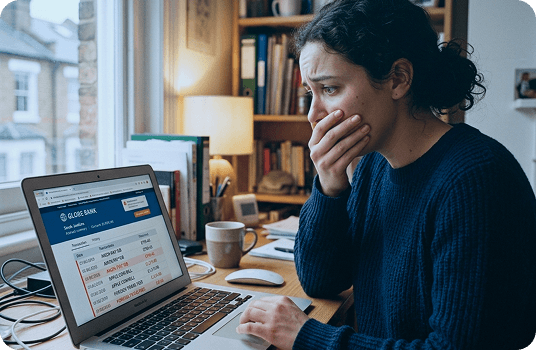
Keeping your money safe is our top priority. Stay alert, and always treat transactions or transfers to new people, merchants, or organisations with caution. Here are a few things to consider:

Scammers often create a sense of urgency to cause panic, or that there is a limited time for you to act within.

It’s unlikely that legitimate businesses will try to discuss your personal information with you without warning, or outside of their official channels.

Be sceptical if you’re offered a higher than average investment return, a holiday of a lifetime, or a job with an unbelievable salary.

A sophisticated scammer will try to put you at ease. If you’re in doubt, take your time to consider the situation — and get a second opinion from a friend or family member.
There are many types of fraud, some of which are very sophisticated and difficult to spot. Here are some of the most common scams, along with signs to watch out for.
At Excel Currencies, we help thousands of expats, immigrants, and international families move money securely across borders every year.
At Excel Currencies, we help expats, immigrants, families separated by borders, and international businesses transfer money securely and affordably every single day.
At Excel Currencies, we help expats, immigrants, families abroad, and businesses transfer money securely across borders with bank-beating exchange rates and no hidden fees — ever.
At Excel Currencies, we specialise in helping expats, immigrants, families abroad, and businesses make secure international transfers with confidence.
At Excel Currencies, we support expats, immigrants, families abroad, and businesses with secure, cost-effective international money transfers every day.
At Excel Currencies, we assist expats, immigrants, families abroad, and businesses with secure international money transfers every day — often for property purchases, retirement funding, or supporting loved ones overseas.
At Excel Currencies, we help expats, immigrants, families abroad, and businesses move money securely and affordably across borders every day.
At Excel Currencies, we make it easy and secure for expats, immigrants, families abroad, and businesses to transfer money internationally with bank-beating rates and no hidden fees — ever.
At Excel Currencies, the security of your money and personal information is our top priority. We operate with strict safeguards and never ask you to transfer funds to unknown accounts or share sensitive details unexpectedly.
If you ever notice anything unusual about a transaction, receive a suspicious communication claiming to be from us, or suspect you may have been targeted by fraud:
Contact our team immediately
We're here to help verify details
(Our UK-based support team will verify your identity securely and guide you through next steps.)
Acting quickly helps protect your funds and can often prevent further loss. We'll work with you personally to review any concerns and, if needed, liaise directly with your bank or the relevant authorities.
For additional independent advice and support, these trusted UK organisations can help:
Official UK campaign offering straightforward advice to stop, challenge and protect against scams → www.takefive-stopfraud.org.uk
The official UK national reporting centre for fraud and cyber crime (run by the City of London Police) → www.reportfraud.police.uk or call 0300 123 2040
Trusted consumer advice and scam protection guides → www.which.co.uk (search for fraud & scams section)
Expert guidance on online security and reporting suspicious websites/emails → www.ncsc.gov.uk
General police guidance on fraud prevention → www.met.police.uk/advice/fraud
Authorised Push Payment (APP) fraud occurs when you're tricked into authorising a transfer to a fraudster's account, believing it's legitimate.
Since 7 October 2024, new UK-wide rules from the Payment Systems Regulator (PSR) require payment providers like us to reimburse most victims of APP fraud — a major step forward in protecting people sending money.
Contact our UK-based team immediately on
+44 (0) 1322 221 121We'll guide you personally through the claim process, verify details securely, and handle everything with care — because talking to a real human makes all the difference when something feels wrong.
Only applies to Faster Payments and CHAPS transfers made in GBP within the United Kingdom.
If your claim meets the criteria, we'll reimburse the amount lost (after any applicable excess), typically within 5 business days — or up to 35 business days if we need more details from you.
An optional £100 excess may apply (e.g., a £1,000 claim would receive £900). No excess is charged for vulnerable customers.
Report within 13 months of the final payment for eligibility.
Paying international suppliers or receiving export payments
Failure to follow specific fraud warnings we provided.
Not exercising an appropriate level of caution.
Payments outside GBP Faster Payments/CHAPS (e.g., international transfers, other currencies, cards, cheques, or overseas payments).
We may ask you to report the fraud to the police (Action Fraud) and provide a reference number — this helps authorities investigate and supports your claim.
These rules apply specifically to UK domestic GBP payments via Faster Payments or CHAPS. For our international transfers (our core service for expats, families, and businesses), we use additional safeguards and verification steps to prevent fraud before it happens. If anything ever feels off during a transfer, pause and call us — we're here to help!
You need a password for just about everything these days. When you’ve got so many logins to remember it’s easy to fall back on the same old memorable words and phrases.
But, as tempting as it is, using your birthday or pet’s name just won’t cut it if you want to keep your account secure.
Here are our top tips for creating super-secure passwords.
Use 12 characters minimum
There are no set parameters about the ideal password length, but 12–14 characters is generally a good rule of thumb.
Include a mixture of numbers, symbols, capital letters and lower case letters
Sites don’t ask for convoluted passwords to be tedious – a mixture of different character types makes your password harder to crack for fraudsters’ software.
Don’t get personal
In the age of information, your birthdate, place of birth and cat’s name are all too easy to find online. Passwords based on key personal information are far easier to work out than passwords based on seemingly random words or phrases.
But, even if personal stats play no part in your passwords, it’s important to have as much control as possible over what information is accessible online.
Check the privacy settings on social accounts, read privacy policies on websites you frequent (particularly if you have a profile of some sort on them) and think twice before taking part in online surveys and quizzes that ask for access to your social media profiles.
Make it a strong one
When it comes to creating a password think outside the box and use an unusual combination of words (replacing letters with special characters and numbers which aren’t like the original letter).
For example, bLuesWan37?? fits all these requirements and would take a computer 63,000 years to crack. Two random words will give you a pretty strong password, but three is even better. bLuesWan37??Guit@r would take 380 quadrillion years of computer cracking time!
Check your password strength
If in doubt about the strength of your password, run it through a secure, reputable online checker. It will tell you how long your password would take to crack, giving you the opportunity to try out different combinations until you’ve got the Fort Knox of passwords.
Use a variety of passwords
Creating these super secure passwords and having to remember confusing combinations makes it tempting to use one for multiple platforms – but in doing that you undo all the good of creating a secure password in the first place.
If a fraudster gets hold of a password for one account, they’ll be able to access many. Use a variety of passwords to guard against breaches and to minimise damage if one of your accounts is compromised.
Sharing is bad (when it comes to passwords)
Never, ever share your password with anyone. One of the issues with having complicated passwords is that people are tempted to write them down so they don’t forget them – resist that impulse and try to commit new passwords to memory.
You should also set a reminder to change your password frequently.
At Excel Currencies, we will never ask for your password, and you shouldn’t share it with us even if it appears that we’ve asked you to.
If you have any concerns that your password is no longer secure, change it immediately.
Changing your password is simple, just follow this link.